A weekly system for Claude and ChatGPT
The Overlap System
Find the overlap between your best-performing content and your customers' problems. Your AI does it every week.
How it works
One loop. Four sections.
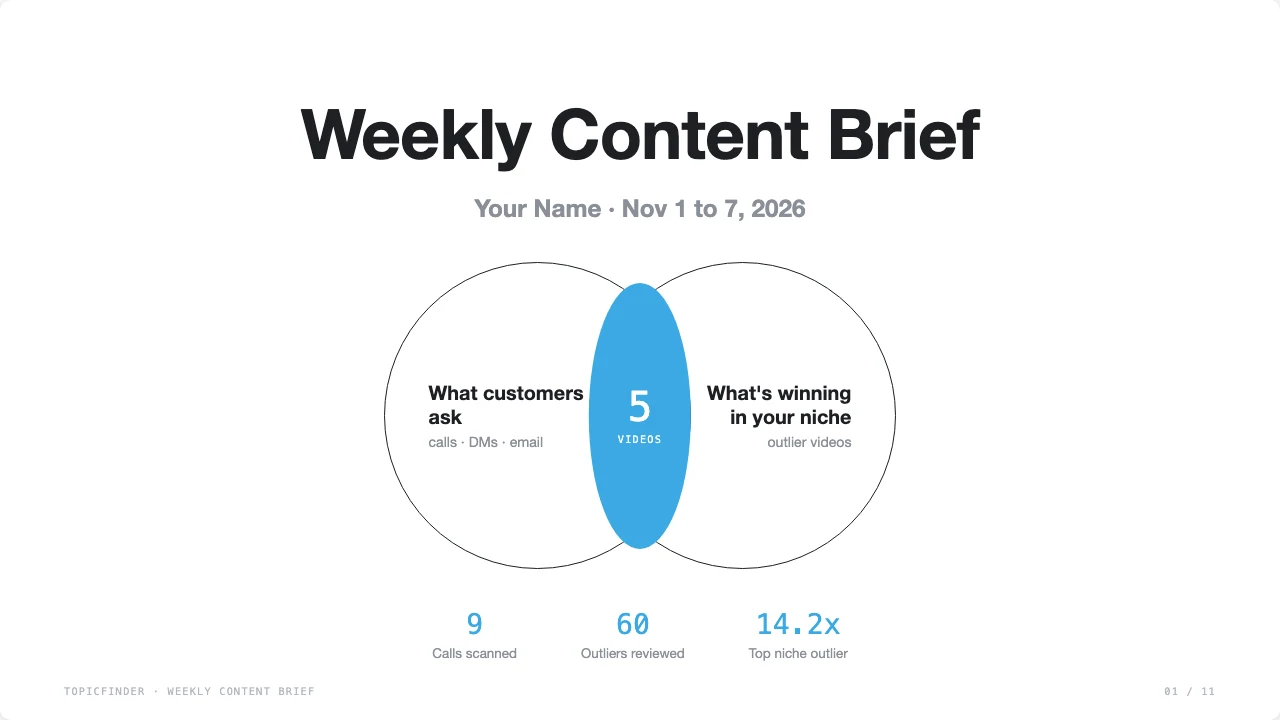
Customers tell you the problem. The niche tells you it gets views. Where both agree, you shoot. More customers bring more calls, and the loop feeds itself.
Section 1
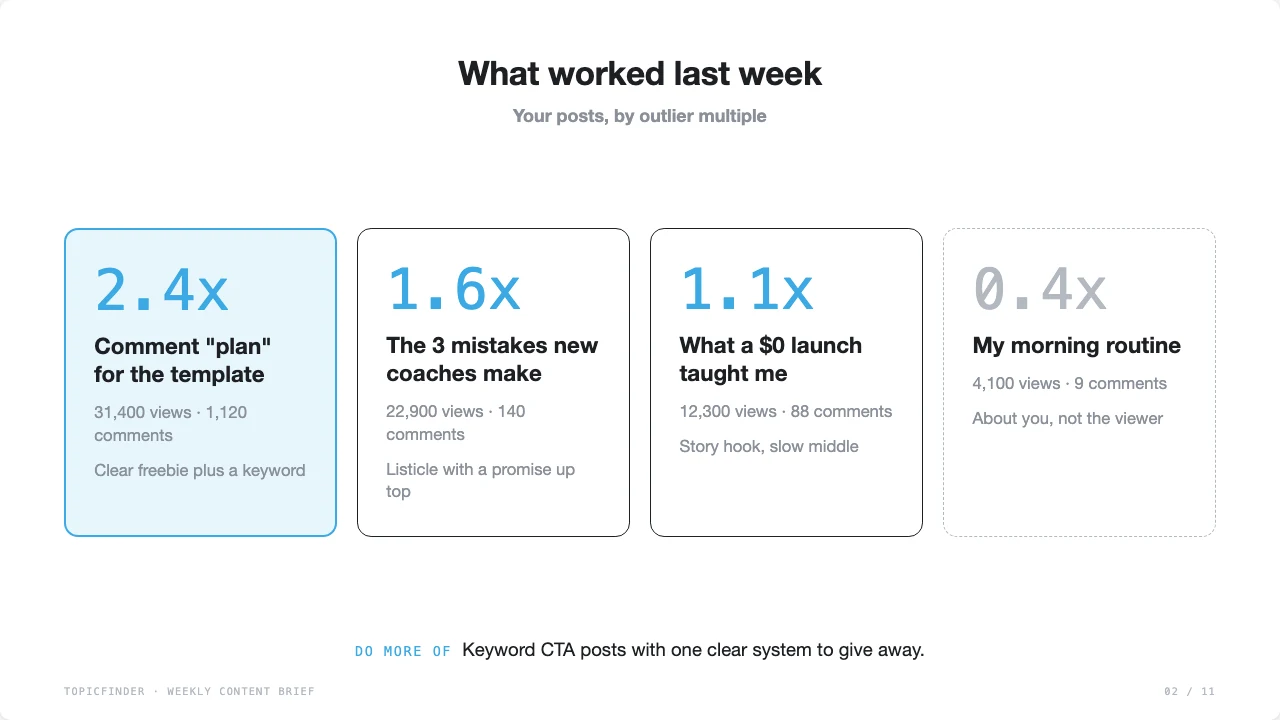
What worked last week
Your own posts, top 3 and bottom 1, and what to do more of.
Section 2
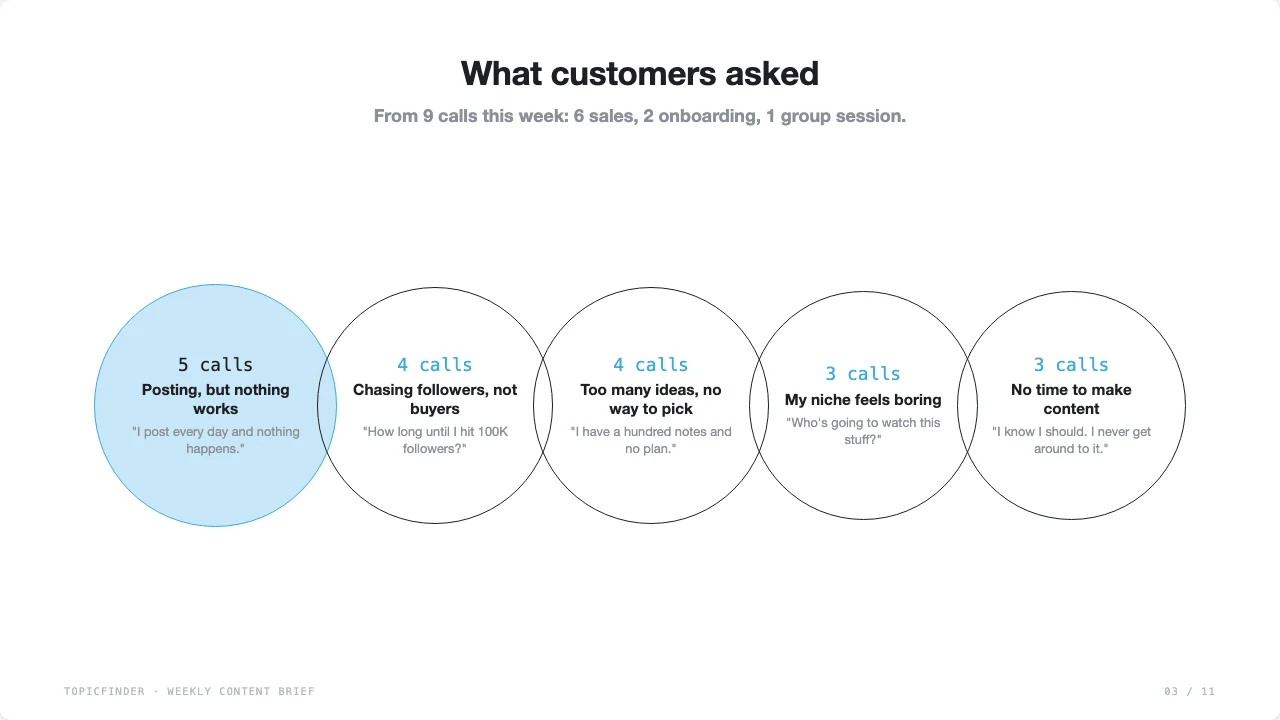
What customers asked
Top 5 problems from your calls and messages, in their words.
Section 3
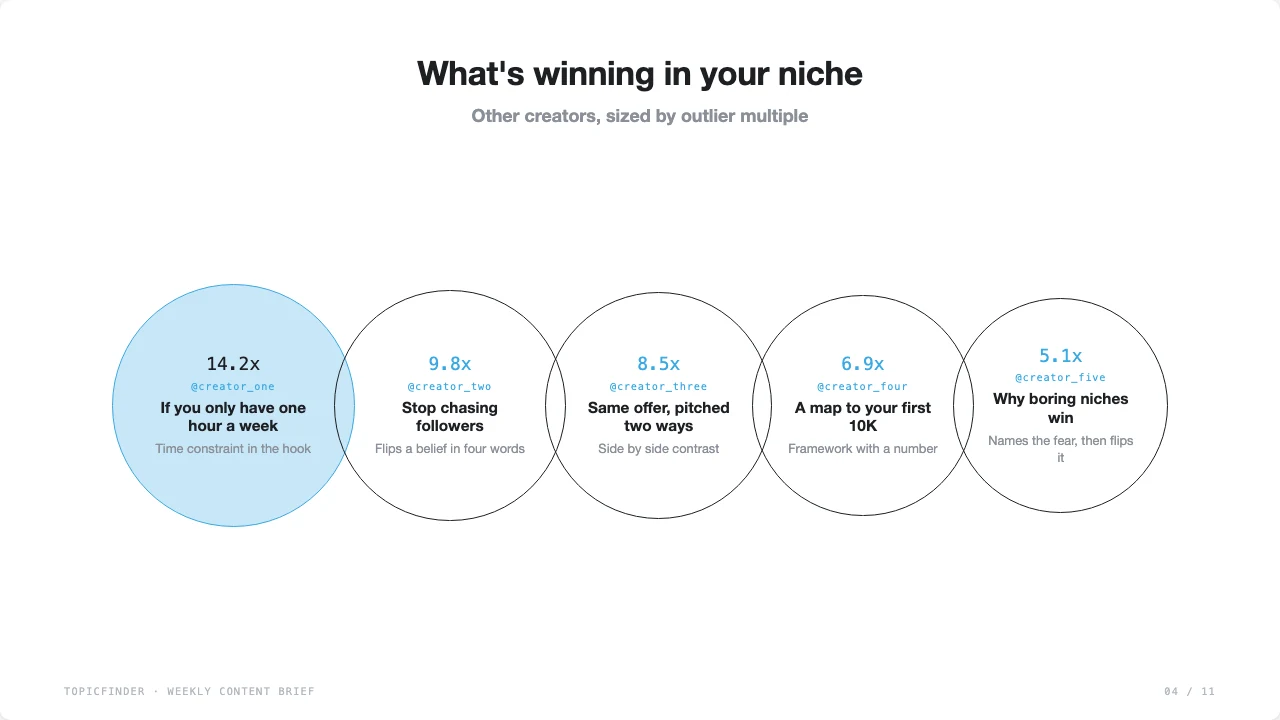
What's winning in your niche
Top 5 outliers from other creators, with why they worked.
Section 4
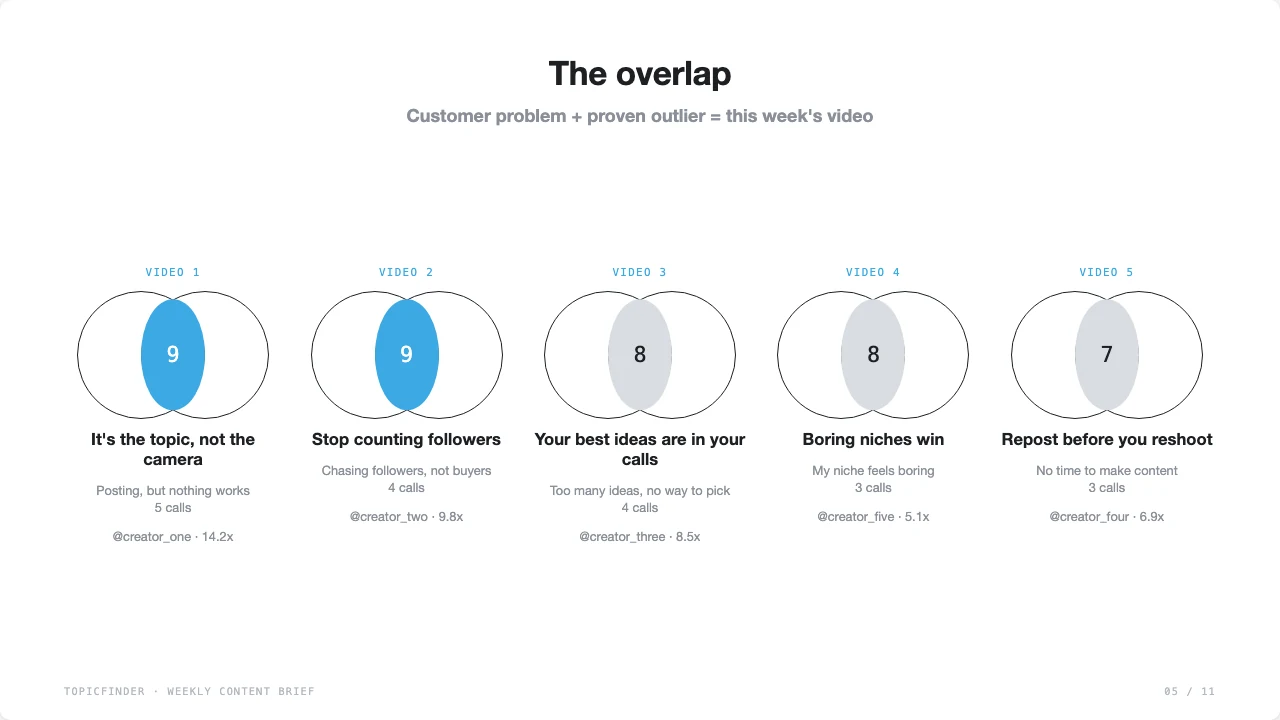
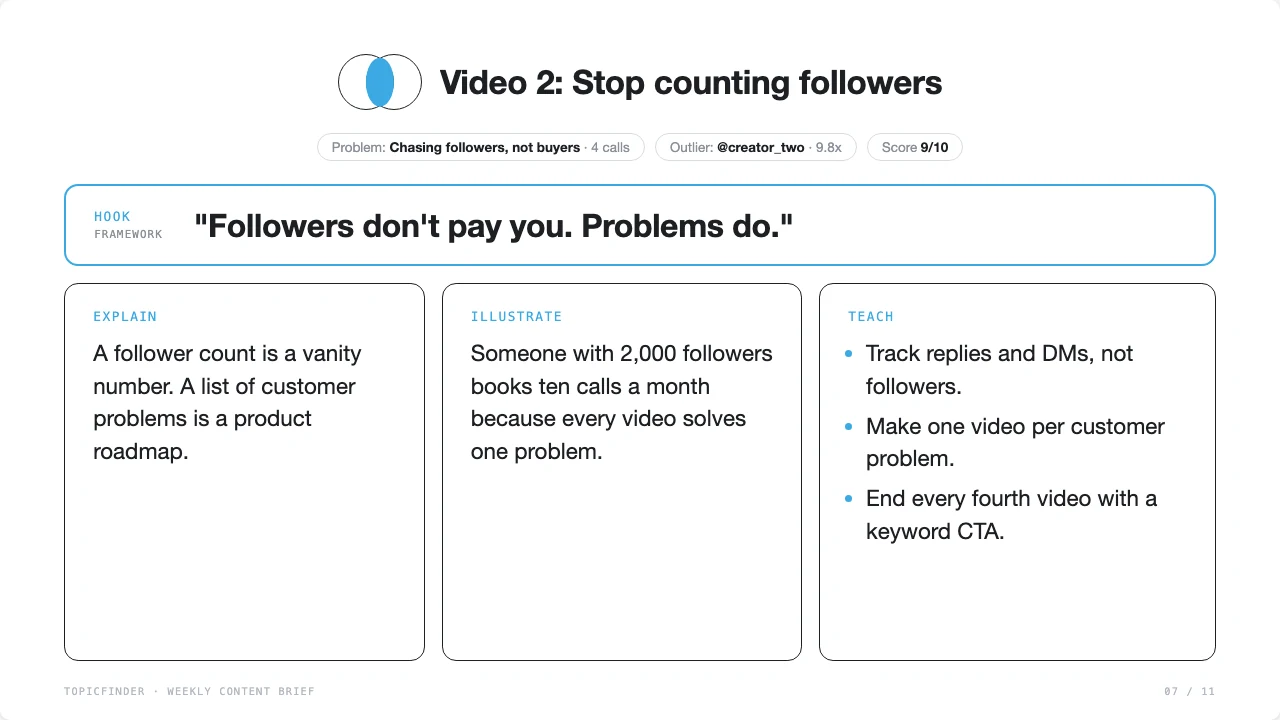
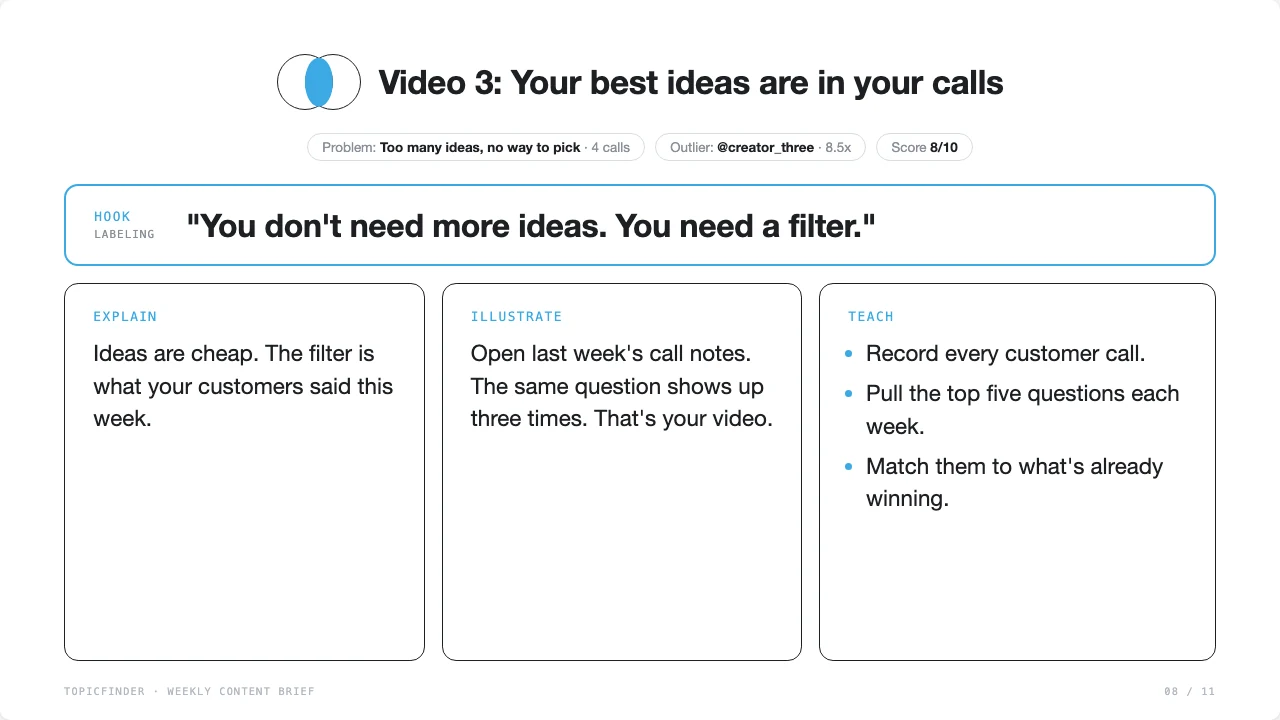
The overlap
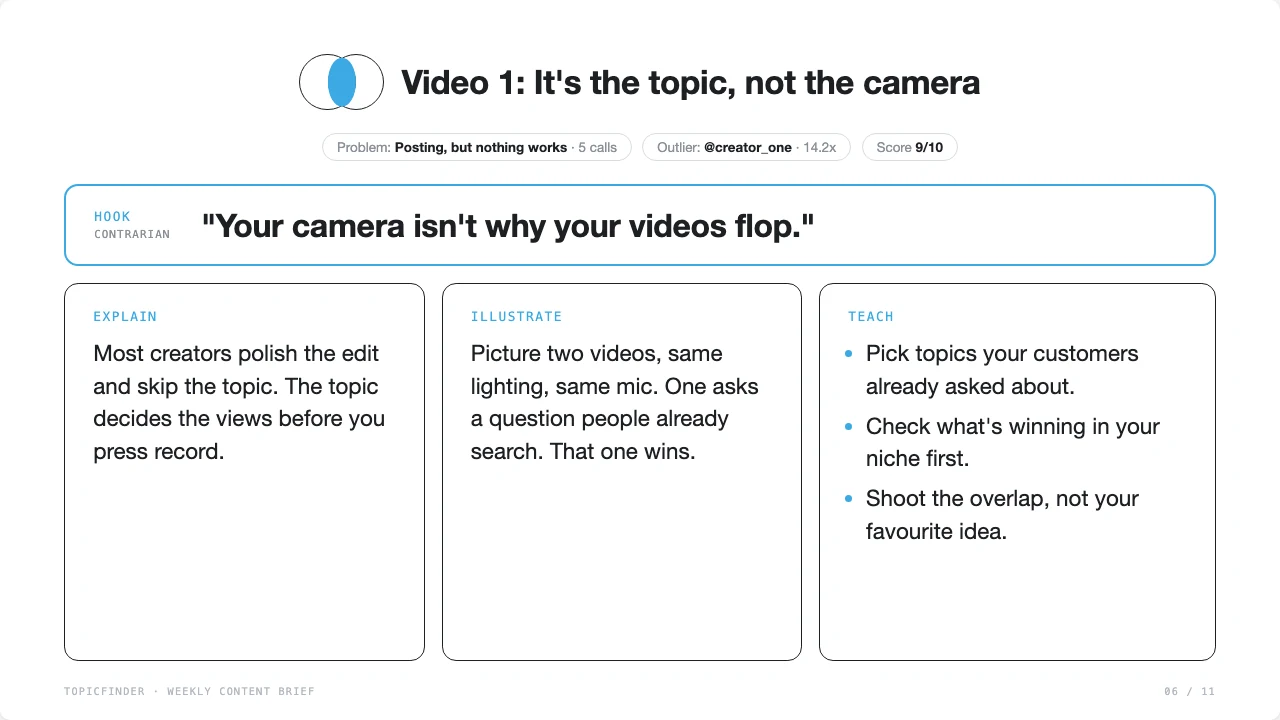
5 videos, each outlined: Hook, Explain, Illustrate, Teach.
Setup · a few minutes
Four steps to your first brief
Connect TopicFinder to your AI
This gives Claude or ChatGPT access to TopicFinder's outlier data. Copy this address:
https://app.topicfinder.ai/mcp- In Claude, open Customize then Connectors.
- Click Add custom connector.
- Name it TopicFinder and paste the address above.
- Click Add, then Connect. Sign in with your TopicFinder account and press Allow.
- In any chat, open the + menu, go to Connectors, and make sure TopicFinder is on.
- The first time Claude uses TopicFinder, it asks permission. Choose Always allow so your weekly run doesn't stop to ask.
On a Team or Enterprise plan, an owner adds it once under Organization settings → Connectors. Then each person clicks Connect.
- In ChatGPT, open Plugins, click +, then Add custom MCP server.
- Name it TopicFinder and paste the address above.
- Choose sign-in (OAuth), accept the warning, and click Create. Sign in with your TopicFinder account and press Allow.
- In a new chat, type @ and pick TopicFinder.
ChatGPT moves these menus often, and custom servers need a paid plan. On Business or Enterprise, an admin has to allow it first. If you get stuck, search ChatGPT's help center for "custom MCP server." If TopicFinder doesn't show up inside a ChatGPT Project, use a normal chat and type @ to pick it.
Test it
Ask: "List my TopicFinder creators." You should see your handle. Write it down. You'll need it in step 3.
Connect your calls and inboxOptional
The brief is only as good as what your customers tell you. Connect where your calls and messages live.
- Calls: Granola, Fathom, Zoom, or Gong. Most have a connector in Claude's directory.
- Messages: Gmail or Slack, for customer questions and replies.
- No connector? No problem. Paste your call notes or DMs into the chat when it asks.
- Sensitive clients? If you work with patients or private client data, check your own rules before connecting calls. Add anything off-limits to the "never share" line in your setup.
Create a Project and paste the prompt
- Create a new Project. Call it "Weekly Content Brief." Claude and ChatGPT both have Projects.
- Copy the prompt below and paste it into the Project's instructions.
- Download brief-template.html and upload it to the Project's files.
- Fill in the SETUP block at the top. Takes a few minutes. See the guide.
- After each run, save the brief into the Project's files. Next week, it checks which videos you posted and how they did.
Run it every week
Open a new chat in the Project and type:
Run my weekly brief.Pick one day and protect it. Monday morning works for most members. Read the brief, pick 2 videos, and shoot them that week.
The prompt
Fill in setup once. Leave the rest.
The more specific your setup, the better your brief. Here's what each field does.
Creator handle
Your handle from step 1, like @yourname
Why it matters
Pulls your posts and sets your niche
Who I help
One clear group. "Dentists who own a practice."
Why it matters
Keeps every video aimed at a buyer
What I sell
Your main offer, in plain words
Why it matters
Scores ideas that lead to a sale higher
Niche / out of niche
5 to 8 topics in. A few always out.
Why it matters
Stops viral but useless videos from sneaking in
Beliefs and hot takes
3 to 5 things you'd argue about
Why it matters
Becomes your angles and contrarian hooks
Stories
Clients, jobs, wins, your own journey
Why it matters
Fuels the Illustrate part of each outline
Language and platform
"English, Instagram Reels"
Why it matters
Outlines come back in your language, sized for your platform
Never share
Patient names, health details, client revenue
Why it matters
Keeps private info out of every brief
| Field | What to write | Why it matters |
|---|---|---|
| Creator handle | Your handle from step 1, like @yourname | Pulls your posts and sets your niche |
| Who I help | One clear group. "Dentists who own a practice." | Keeps every video aimed at a buyer |
| What I sell | Your main offer, in plain words | Scores ideas that lead to a sale higher |
| Niche / out of niche | 5 to 8 topics in. A few always out. | Stops viral but useless videos from sneaking in |
| Beliefs and hot takes | 3 to 5 things you'd argue about | Becomes your angles and contrarian hooks |
| Stories | Clients, jobs, wins, your own journey | Fuels the Illustrate part of each outline |
| Language and platform | "English, Instagram Reels" | Outlines come back in your language, sized for your platform |
| Never share | Patient names, health details, client revenue | Keeps private info out of every brief |
# THE OVERLAP SYSTEM: WEEKLY CONTENT BRIEF

Fill in the SETUP block once. Leave the rest alone.

## SETUP

- My name:
- My TopicFinder creator handle: (not sure? ask "List my TopicFinder creators")
- What I do, in one line:
- Who I help:
- What I sell:
- My niche (topics that count):
- Out of niche (always drop):
- My beliefs and hot takes (3 to 5):
  -
  -
  -
- Stories and places I can pull from (clients, jobs, wins, my own journey):
- Where my customer calls live: (Granola, Fathom, Zoom, Gong, or "I'll paste notes")
- Where my customer messages live: (Gmail, Slack, DMs, or "I'll paste them")
- Language I post in: (example: English)
- Main platform: (example: Instagram Reels)
- Things you must never share: (example: patient names, health details, client revenue)

---

## YOUR JOB

You are my content strategist. Once a week you find where two things meet:

1. Problems my real customers raised this week.
2. Videos in my niche that already proved demand.

That overlap is what I should post next. Then you outline those videos.

Do the whole job without stopping. If a tool fails, try once more another way, then keep going. If a source isn't connected, ask me to paste it once, then continue.

Before you start:
- State today's date and the 7-day window you're using. If you don't know today's date, ask me.
- Check that TopicFinder is connected by calling list_creators. If it isn't, stop and tell me to turn it on.
- If my SETUP has blanks, make a sensible guess, say what you guessed in one line, and keep going.

## STEP 1: WHAT WORKED LAST WEEK

Use TopicFinder find_outliers with include_creators set to my handle, sorted by recency, for the last 7 days.

For each of my posts, note the multiple, views, and comments.

Pick the top 3 and the bottom 1. Write one line on what was true about each. Look at the topic first. It's almost always the topic.

End with one line: "Do more of: ..." Name what to repeat, repost, or reshoot.

If I posted nothing this week, say so in one line and skip to Step 2.

If last week's brief is in this Project's files or pasted in the chat, check which of its 5 videos I posted and how each did.

## STEP 2: WHAT CUSTOMERS ASKED LAST WEEK

Pull my customer calls from the last 7 days. If there are fewer than 5, go back 14 days, then 30.

Skip internal team calls. Keep sales calls, onboarding calls, coaching calls, and group sessions.

Scan my messages for real customer questions too. Skip newsletters, pitches, and scheduling.

Pull out questions, complaints, and objections in the customer's own words.

Group the ones that mean the same thing. Count how many calls each came up in. Keep the best real quote.

Keep the top 5.

If you find fewer than 3 real customer problems, say so in one line. Then use questions from comments or DMs I paste, and keep going.

Privacy: never name a customer, their company, or any dollar figure. Never include anything on my "must never share" list. Say "a client" or "someone on a sales call."

## STEP 3: WHAT'S WINNING IN MY NICHE

Use TopicFinder find_outliers with my handle as account_creator. Leave out my own videos with exclude_creators.

For each of the top 5 customer problems, run one search using the words a creator would use as a video topic. Filter to the last 60 days and an outlier score of 3 or more.

Then run 2 or 3 broad searches on my niche to catch anything else big.

If my niche is too small, chunk up. Search the bigger topic above it. Example: "retail real estate" becomes "real estate," then "investing," then "money."

Drop anything out of niche, even if it went viral.

Read the full transcripts of the top ones with TopicFinder so you know what they say.

Each search with a query counts as a paid search. Keep it to about 10 per run.

Keep the top 5. For each: creator, hook, multiple, and one line on why it worked.

## STEP 4: THE OVERLAP

Match the customer problems against the winning videos. Loose matches count.

Score each match out of 10:
- Demand (0 to 4): how many customers raised it, how big the outliers are. More than one creator winning on it is better.
- Fit (0 to 3): can a beginner understand it and an expert still use it? Does it lead to what I sell?
- Interest (0 to 3): do I have a real take or story on it?

Keep the top 5. Those are next week's videos.

For each one, pick an angle the outlier did NOT use:
- Contrarian: what common advice do I disagree with?
- Nuanced: when is this true, and when isn't it?
- Observable: what real moment shows the problem?
- Novel: what's a new way to say it?

Learn the move, not the words. Never copy or reword the outlier's lines, numbers, names, or claims.

Lead with a promise people care about, not the method.

## STEP 5: WRITE THE OUTLINES

One outline per video. Four parts. Nothing else.

Hook: one sentence. Works with zero context. Name the hook type in brackets.
Explain: why the problem exists. One to three sentences.
Illustrate: one real moment someone could picture. Pull from my stories. Keep customers anonymous.
Teach: what to do today. Three to five short bullets.

Before you write, read the transcripts of my 3 best posts from TopicFinder. Match how I talk: my words, my rhythm, my energy. Write in the language from my SETUP.

Hook types (use at least 3 across the week):
- Contrarian: flip a belief.
- Framework: name a system.
- Labeling: call out who it's for.
- Story: start in the middle of a moment.
- Authority: real proof or results.
- Curiosity: open a question they need answered.

This is an outline, not a script. I'll say the hook word for word and riff the rest.

Voice rules:
- Every sentence is 5 to 12 words.
- Seventh grade English. Simple words.
- Always use contractions.
- Talk to one person. Say "you," never "you guys."
- No em dashes. No curly quotes.
- No AI filler like delve, leverage, unlock, or game changer.

Example:
Hook: Meetings are the biggest waste of time in any company. [Contrarian]
Explain: Most meetings exist because leaders can't make decisions on their own.
Illustrate: I once walked into a room with 40 people talking about nothing for an hour.
Teach:
- Get clear on where the company is going.
- Write down the strategy to get there.
- Give every number one owner.

## THE BRIEF (visual)

The brief is a visual slide deck. You never design it. You only fill in its data.

1. Open "brief-template.html" from this Project's files.
2. Replace ONLY the JSON inside <script id="brief-data" type="application/json">. Change nothing else.
3. Change the <title> to "Content Brief [date range]".
4. Show it to me:
   - In Claude: create an HTML artifact with the full filled-in file.
   - In ChatGPT: open it in Canvas and click Preview. If you can't preview, give me the file to download and open in my browser.
5. Under it, write one line: "Save this brief to your Project files so next week can check what you posted."

The JSON must match this shape exactly:

{
  "brand": "TopicFinder",
  "creator": "Your Name",
  "range": "Nov 1 to 7, 2026",
  "headline": "Shoot these 5 this week.",
  "lede": "Where your customers' problems meet what's already winning in your niche.",
  "stats": [ {"v": "11", "l": "Calls scanned"}, {"v": "70", "l": "Outliers reviewed"}, {"v": "22.8x", "l": "Top niche outlier"} ],
  "worked": {
    "posts": [ {"title": "", "url": "", "multiple": 2.25, "views": "25,218", "comments": "1,800", "why": "under 8 words", "flag": "top | bottom | empty"} ],
    "doMore": "one line"
  },
  "asked": {
    "note": "one line on the window and sources",
    "problems": [ {"problem": "", "calls": 5, "quote": "real quote, no names"} ]
  },
  "winning": [ {"creator": "@handle", "url": "", "hook": "", "multiple": 9.8, "why": "under 8 words"} ],
  "overlap": [ {"title": "", "score": 9, "problem": "", "calls": 4, "outlier": "@handle", "outlierUrl": "", "multiple": 5.5,
    "hook": "", "hookType": "Contrarian", "explain": "", "illustrate": "", "teach": ["", "", "", ""]} ]
}

Size limits so every slide fits:
- stats: exactly 3.
- worked.posts: top 3 plus bottom 1, sorted by multiple. Flag the best "top" and the worst "bottom".
- asked.problems: exactly 5. Quotes under 15 words.
- winning: exactly 5, sorted by multiple.
- overlap: exactly 5, sorted by score. Titles under 6 words.
- explain and illustrate: under 30 words each. teach: 3 or 4 bullets, under 10 words each.
- multiple values are numbers, not text.

## CHECK BEFORE YOU SEND

Fix anything that fails. Don't mention the fix.

- The JSON matches the shape and size limits. Nothing outside the JSON was changed.
- Every outline is Hook, Explain, Illustrate, Teach. Nothing more.
- Every hook works with zero context.
- No outline sentence over 12 words.
- No em dashes or curly quotes.
- No customer names, company names, dollar figures, or anything on my "must never share" list.
- Nothing copied from an outlier.
- Every outlier is in my niche.
The brief template
Your brief, as a deck.
The AI doesn't design anything. It fills in the data, and this template turns it into an 11-slide deck you can scroll, share, or save as a PDF. Upload it to your Project files once.
What you get
A brief you can shoot from.
Every week: what worked, what customers asked, what's winning in your niche, and five outlined videos. Hook, Explain, Illustrate, Teach. Nothing else.
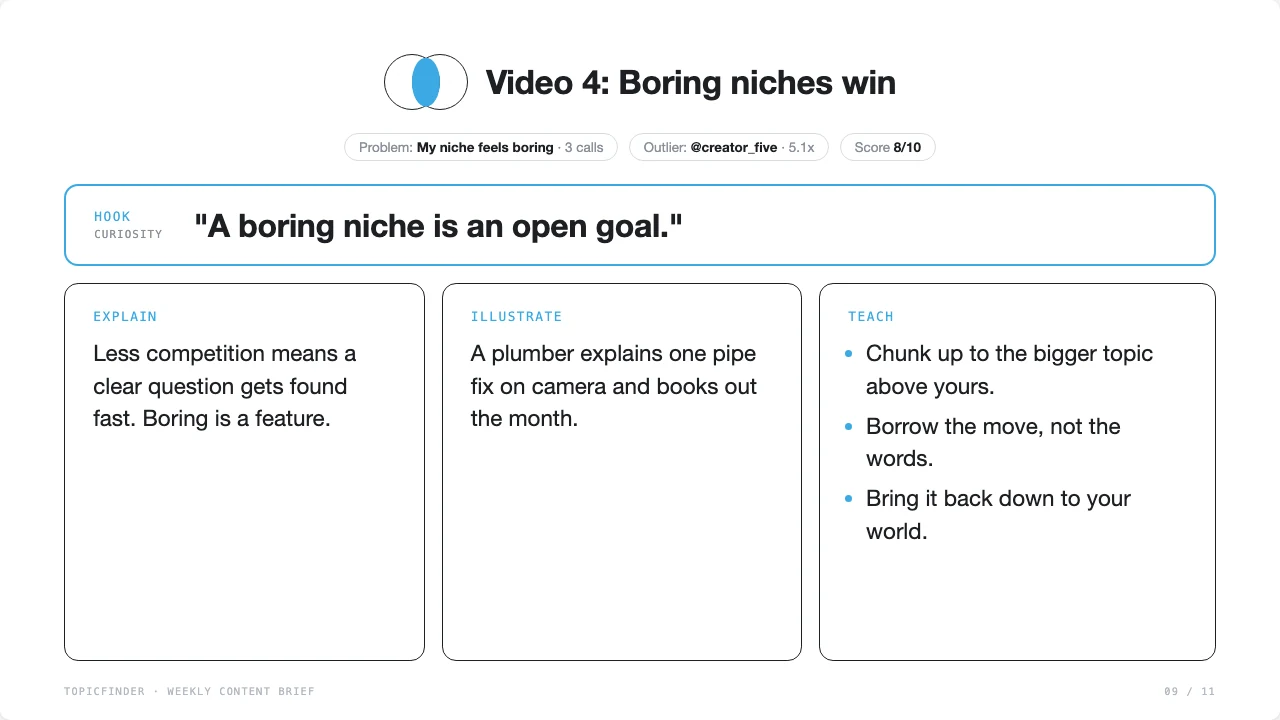
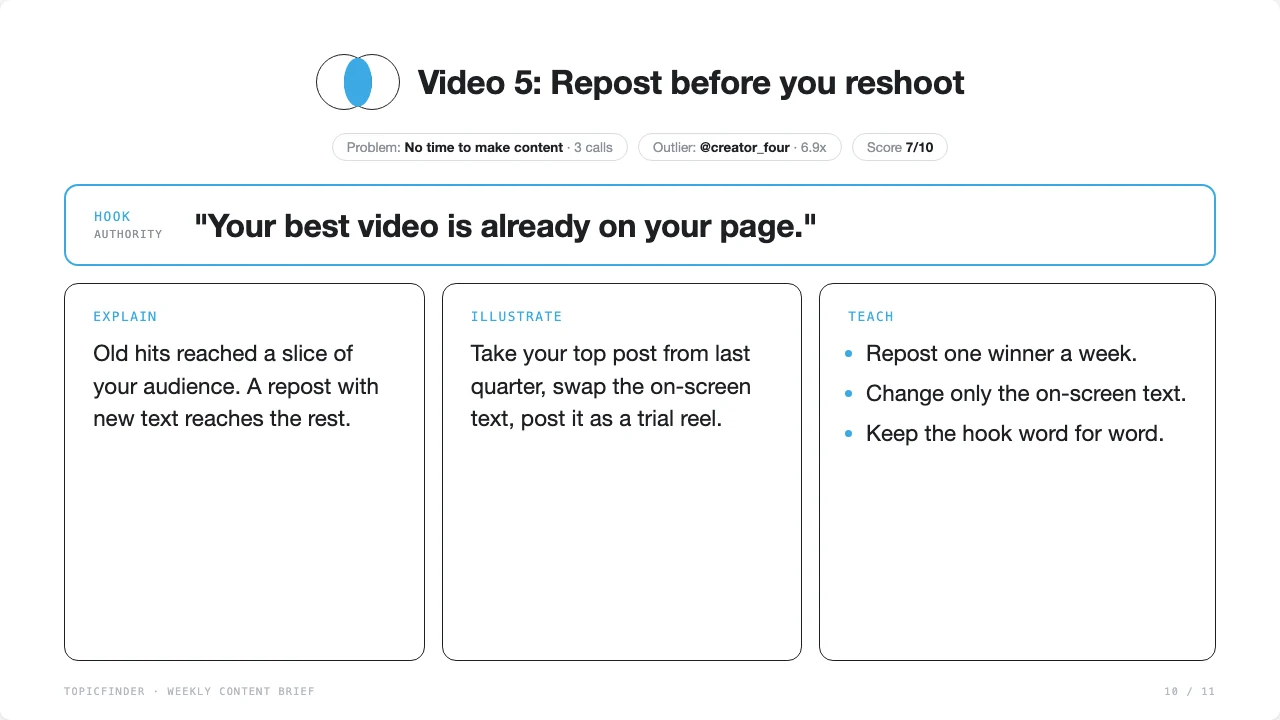
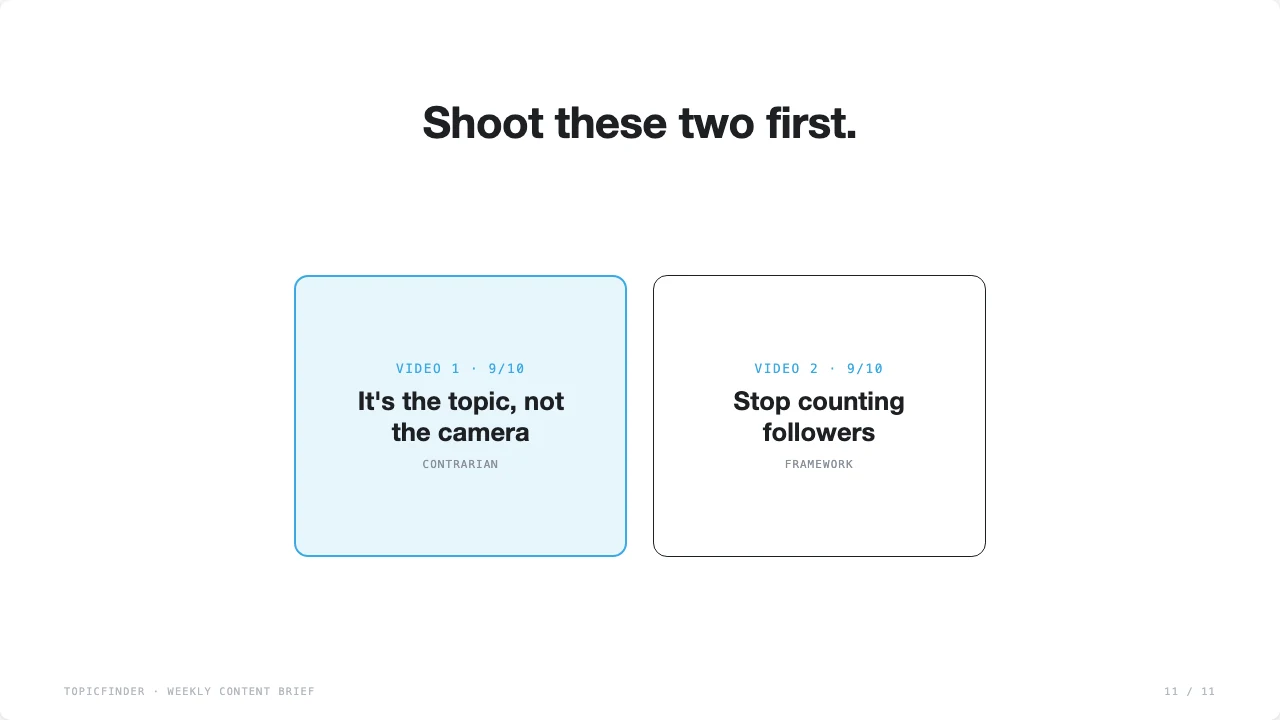
Sample data. Your brief fills in from your calls and your niche.
FAQ
Quick fixes
Check that it's switched on for that chat. In Claude, open the + menu, then Connectors. In ChatGPT, type @ and pick TopicFinder. Then try "List my TopicFinder creators" again.
Tighten your niche and out-of-niche lists in SETUP. Be blunt. Name the topics you never want to see.
Paste your last few call notes, DMs, or comments into the chat when it asks. Even five real questions beat zero.
It reads your library and saves what you ask it to. It never posts, and never deletes your scripts or videos.
In Claude, choose "Always allow" for the TopicFinder tools. In ChatGPT, approve once per chat.
Start your message with today's date: "Today is March 3. Run my weekly brief." The prompt also asks it to confirm the date before it starts.
Your calls stay between you and your AI tool. The brief never names customers, companies, or dollar figures. If you're in health, legal, or finance, check your own privacy rules first and use the "never share" line.
TopicFinder is built for Instagram Reels right now. The ideas still carry over to Shorts and TikTok. Long-form YouTube support is on the roadmap.
No. The prompt tells it to learn the move, never the words. It must pick a different angle than the original video.
It's built to stop at four sections. If it adds more, reply "Four sections only. Cut the rest." and it will fix it.
Resources
Everything in one place
Stuck? Post in the member Slack. Share your win on Wins Wednesday when your first overlap video pops.